Platform: Windows
Link: Download DEMO-Version (Use free for 30 days)
Link: Download DEMO version as MSI package (for deployment in company networks)
Price: 24,99 €
Mac, iPhone, iPad
Tutorial 5: 104 Languages – Now Also Arabic, Urdu, Persian and Hebrew
Starting with version 2.01.32, Stock Accounting is available in 104 languages. New languages include Hindi, Bengali, Tamil, Telugu, Marathi, Nepali, Sinhala, Khmer, Burmese, Filipino, Swahili, Amharic, Yoruba, Kazakh, Azerbaijani, Armenian, Georgian, Catalan, Basque, Irish, Welsh and Icelandic – and, for the first time, four languages written from right to left: Arabic, Urdu, Persian (Farsi) and Hebrew. For these four languages the whole user interface is mirrored, and invoices and delivery notes follow the writing direction too.
The right-to-left user interface
Invoices and delivery notes as PDF
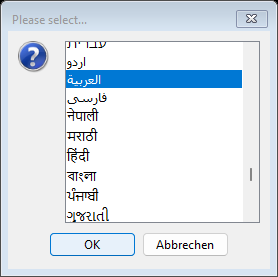
As before, you choose the language during installation or – for example after installing the MSI package – when you start the program for the first time. The list contains all 104 languages, each with its own name in its own script, sorted alphabetically (Latin script first, then Greek, Cyrillic, Hebrew, Arabic, the Indian scripts, Thai and the East Asian languages). Your Windows language is preselected.
In Arabic, Urdu, Persian and Hebrew the whole program runs from right to left: the menu starts on the right with "File", the tabs are on the right, the first table column is the rightmost one, and buttons and input fields are mirrored. Wide tables start on the right with the first column. This is the "Articles" tab in Arabic – article names in Arabic and Latin script, prices and barcodes with the digits 0 to 9:

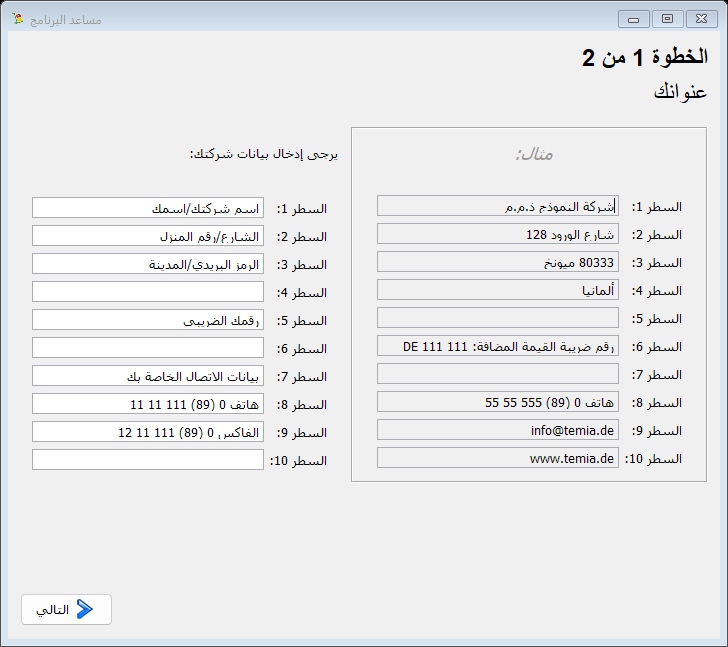
On first start, the program assistant asks for your company address for invoices and delivery notes. It is mirrored as well: the labels and the example are on the right, your input fields on the left.
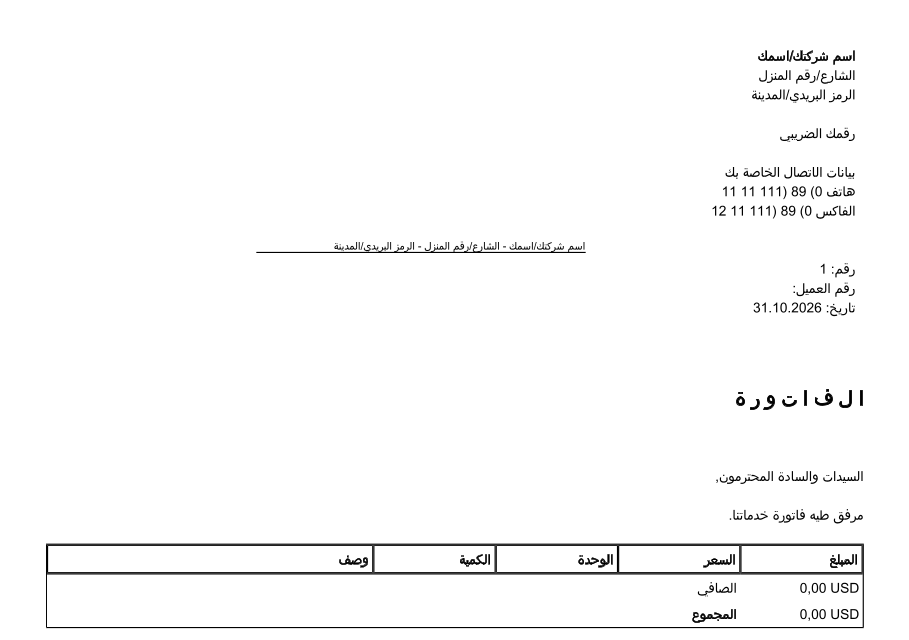
Invoices, delivery notes and documents are created in the selected language. In the right-to-left languages, addresses, text and amounts are right-aligned, Arabic script is set with its joined letter forms, and numbers and Latin names appear in the correct order. Company name, heading and total are now printed in bold in all scripts – previously these lines were partly missing, for example in Russian, Chinese or Polish.
The new Asian and African languages are shown in their own script – on screen and in the PDF, for example Hindi:

Your data is kept when you update. Install the new version in the same language as before – the installer then replaces the existing installation. Numbers, prices and dates use the digits 0 to 9 in all languages, so you can switch the language at any time: "Settings" menu → "Start program assistant", page "Set the language". The demo version (installer and MSI package) is available at the top of this page.