Household Budget
Platform: Windows
Price: 19,99 €
Platform: Windows
Price: 19,99 €
Mac, iPhone, iPad
Data Import
If you want to import your data (incomes and expenses) in the program “Household Budget”, please follow the next steps:
1.
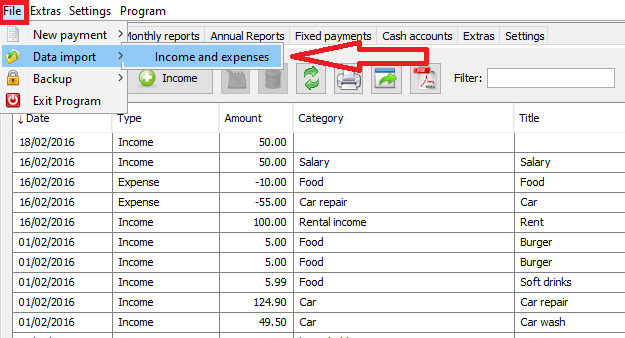
Select menu “File -> Data import-> Income and Expences”.
WINDOWS:
2.
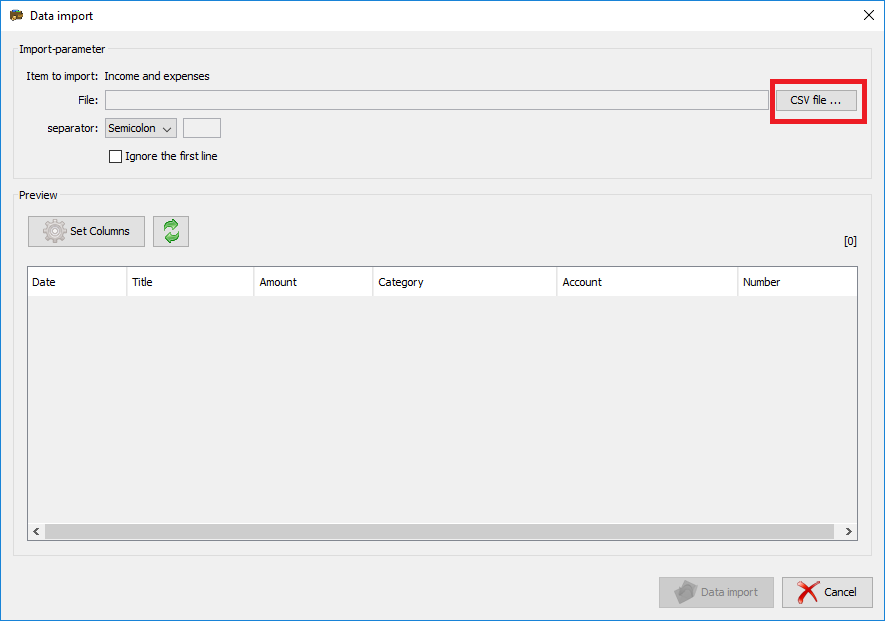
Click on the “CSV file…” button.
WINDOWS:
3.
Select your CSV file with your data.
4.
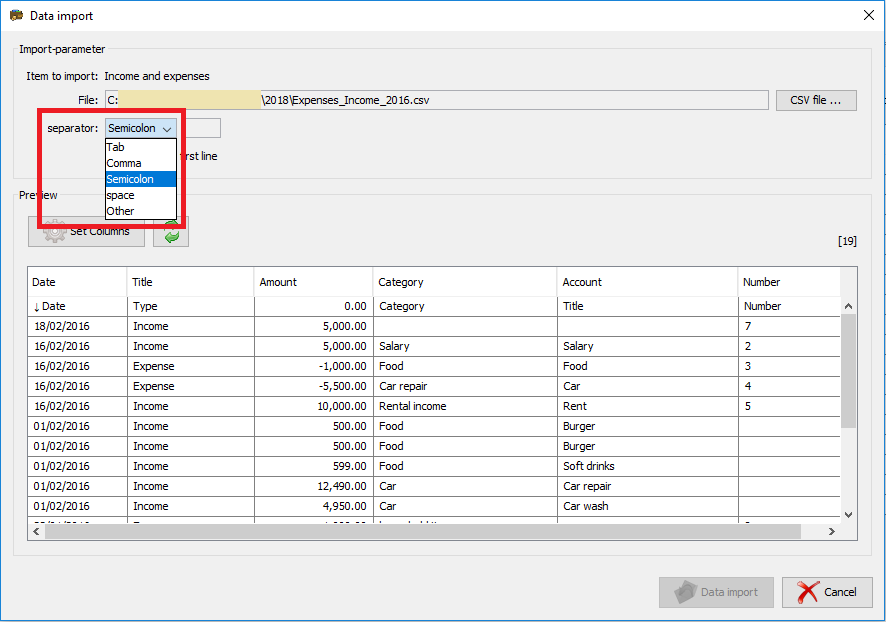
Select a separator for your file in the selection field.
WINDOWS:
5.
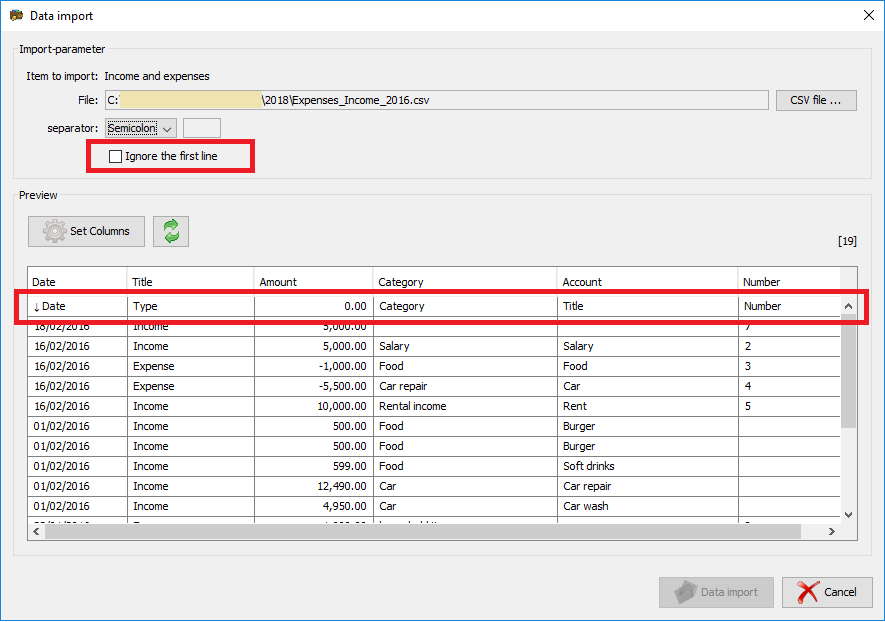
If your first line in your CSV file contains the captions (like in the example file), please select the option “Ignore the first line”
WINDOWS:
6.
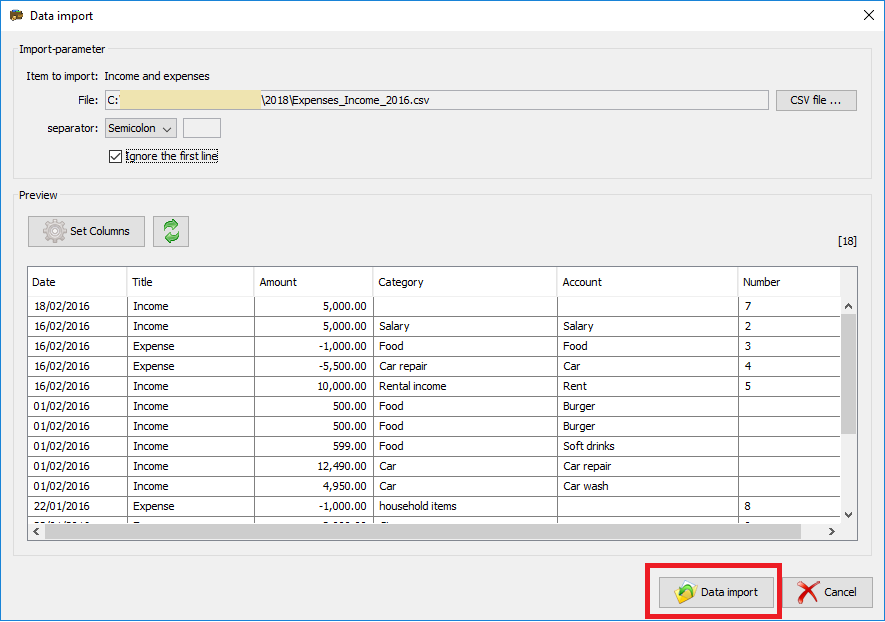
You can see a preview of your data on the dialog. If everything is correct, click the button “Data import”.
WINDOWS:
7.
The Data will be imported.
8.
Restart the program