
Platform: Windows
Link: Download DEMO-Version (Use free for 30 days)
Price: 39,99 €
Platform: Mac OS
Link to iTunes Store
Tutorial 3: Importing Guests from a CSV File
Since version 2.01.25 you can import your guest list from a CSV file, for example from an Excel sheet or from another program. The import is available in the menu "File -> Data import -> Guests".
Selecting the file and checking the preview
A CSV file is a text file in which every line contains one guest and the values are separated by a delimiter (semicolon, comma or tab). In Excel you get it with "Save as -> CSV (comma delimited)".
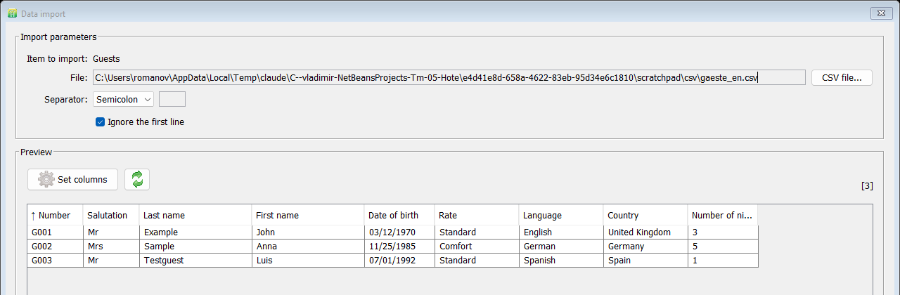
The columns must be in the order shown in the preview of the import dialog: Number, Salutation, Last name, First name, Date of birth, Rate, Language, Country, Number of nights. Columns you do not need can stay empty or can be hidden in the step "Set columns".
Example (semicolon as delimiter, first line with column headers):
Number;Salutation;Last name;First name;Date of birth;Rate;Language;Country;Nights
G001;Mr;Example;John;03/12/1970;Standard;English;United Kingdom;3
G002;Mrs;Sample;Anna;11/25/1985;Comfort;German;Germany;5
The date of birth must use the date format of the program (English: MM/DD/YYYY). Save the file in UTF-8 so that special characters are imported correctly.
Open "File -> Data import -> Guests" and choose your file with "CSV file...". Select the delimiter and tick "Ignore the first line" if the first line contains the column headers. The preview immediately shows how the data will be transferred into the guest list; the number in square brackets on the right is the number of lines found.
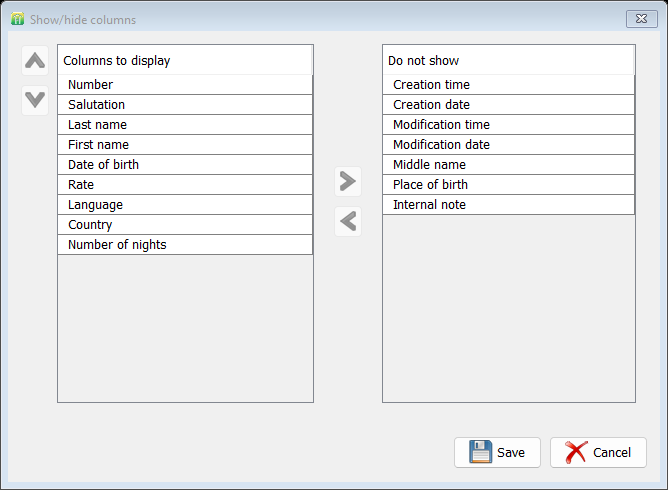
If the column order of your file does not match the preview, click "Set columns". There you can show or hide columns and change their order. The assignment is always made in sequence: the first column of the file goes to the first displayed column, the second to the second, and so on. After saving, refresh the preview with the arrow button.
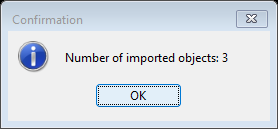
"Data import" creates all lines of the preview as new guests. The program confirms the number of imported entries. If a line contains an invalid date, an error message with the affected column and value is shown instead; correct the file and load it again.
You will find the imported guests in the tab "Guests". Click "Reload data" there so that the list shows the new entries. Every guest can then be edited and used for reservations as usual.
